Chili Gantry Control Dashboard
The web app that runs the greenhouse: start a scan, watch the gantry work live, and keep every photo, detection and harvest call on record.
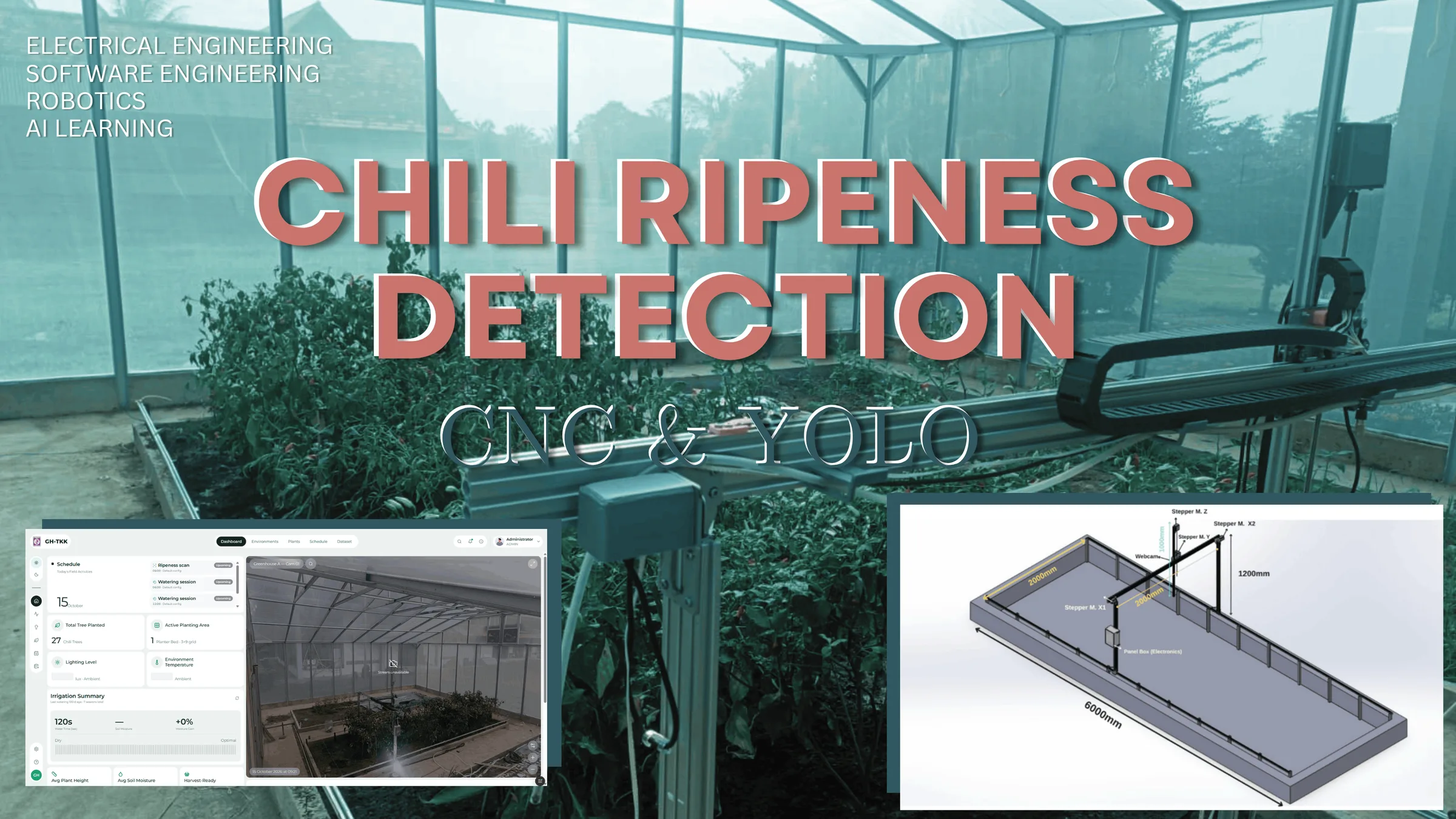
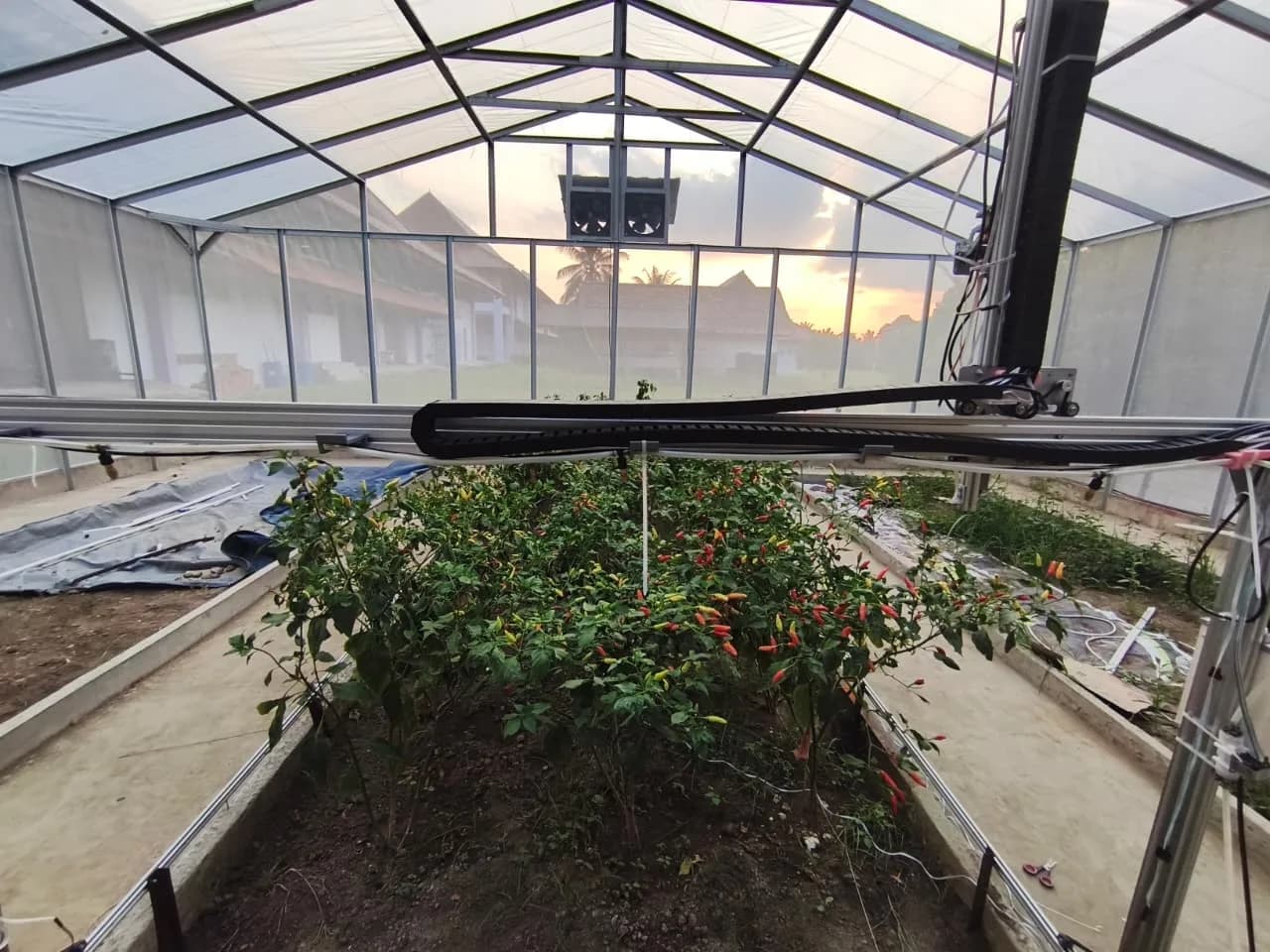
A gantry, two microcontrollers, a camera and a model on a Raspberry Pi don't add up to a tool anyone can use until something ties them together. That something is this dashboard: the place where scans and watering runs are started or scheduled, followed live plant by plant, and looked back on later.
It's a full-stack Next.js app backed by PostgreSQL, and it's the single source of truth for the whole system. The Pi runs a small, stateless FastAPI service that does the physical work and reports back as it goes. The browser talks to the Pi directly only for the things that have to be live: the event stream and the camera feed.
Who talks to whom
Next.js + PostgreSQL
Owns every record. Sessions are always created here and their IDs handed to the Pi, never the other way round.
FastAPI on the Pi
Stateless. Drives the ESP32s over USB and UART, runs YOLOv11, and writes each plant's photo and results back to Next.js the moment they exist, not in a batch at the end.
Browser ↔ Pi
Server-Sent Events and the MJPEG camera feed come straight from the Pi. Next.js is never in the live path, so streaming doesn't load the app server.
Sensor node → Next.js
A separate ESP32 posts temperature, humidity and light directly to the dashboard; the Pi isn't involved.
Life of a session
Pressing Start Scan creates a session in Postgres as PENDING and posts its ID to the Pi. If the Pi is already busy it answers 409 Conflict, so two sessions can never run at once; otherwise it marks the session RUNNING and the browser subscribes to its event stream.
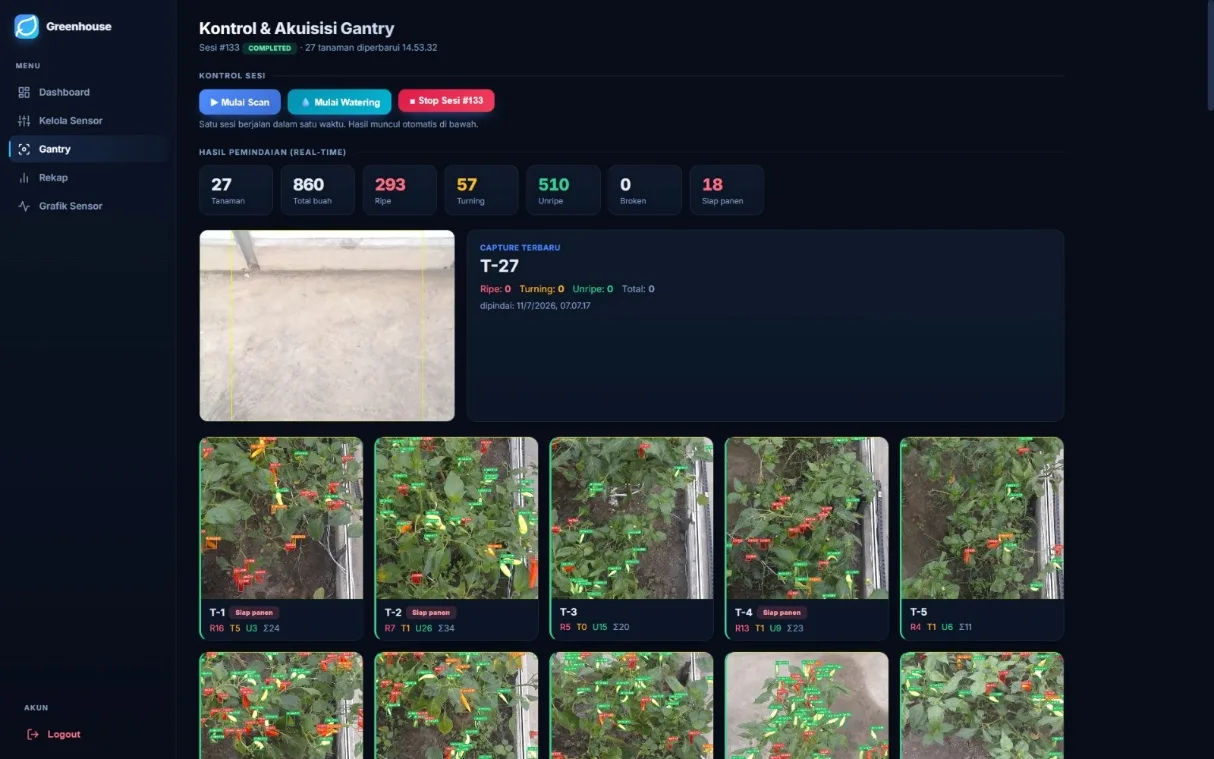
From there the events tell the story: session_started, motors_homed, then a gantry_moved and plant_scanned for each of the 27 plants, and finally session_complete, or session_error if a move or capture fails and the gantry stops. Behind each plant_scanned, the Pi has already uploaded the photo to Next.js and posted the per-class counts, so a refresh or a second viewer sees exactly the same state. If the selected model fails to load, the Pi falls back to the default weights instead of aborting the run.
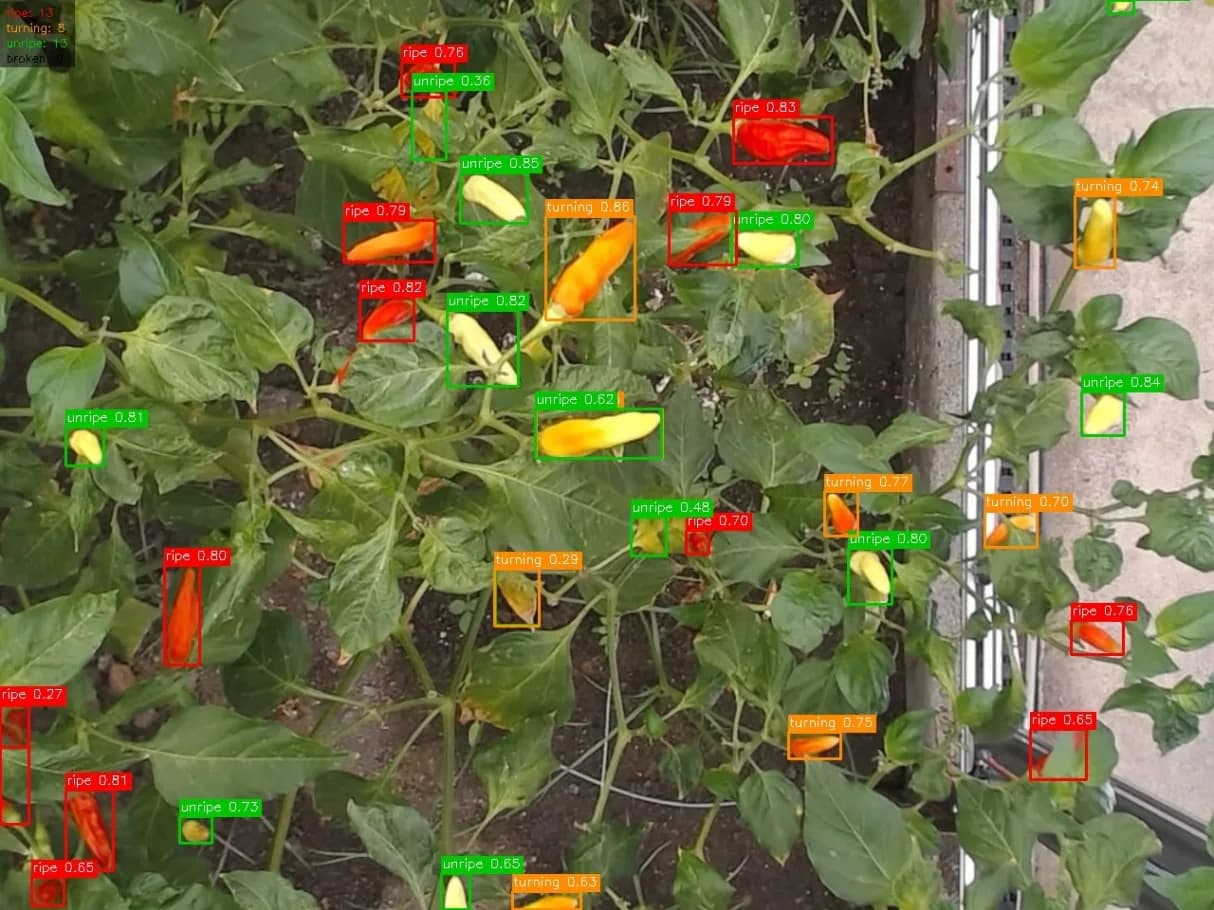
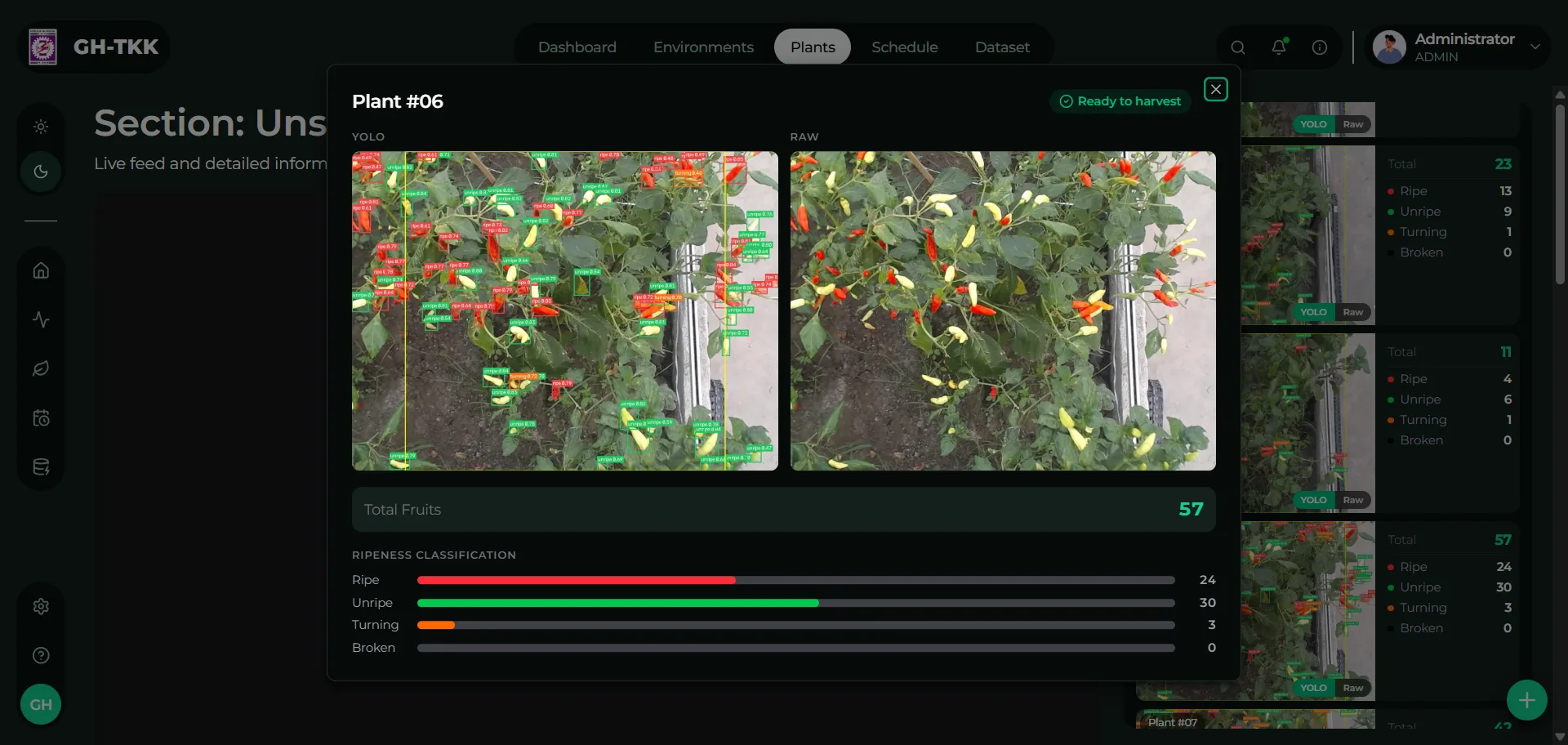
Each finished plant appears as a card with the raw and annotated photo side by side, its fruit counts per class, and a ready-to-harvest badge once it passes five ripe fruits.
Inside the dashboard
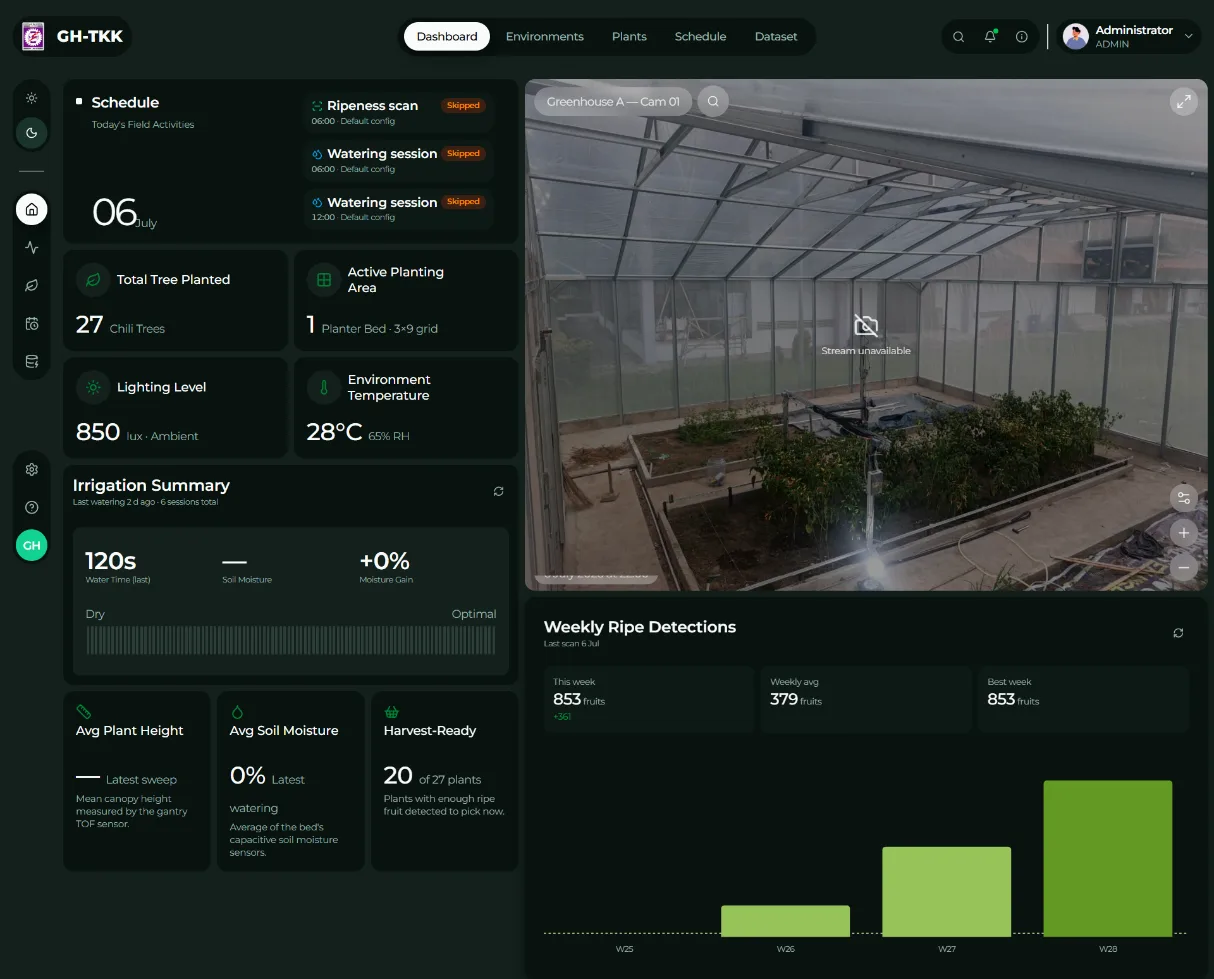
Overview
Greenhouse conditions at a glance: environment sensors, soil moisture and the last watering, today's schedule, weekly ripe detections and a live CCTV feed.
Plants and beds
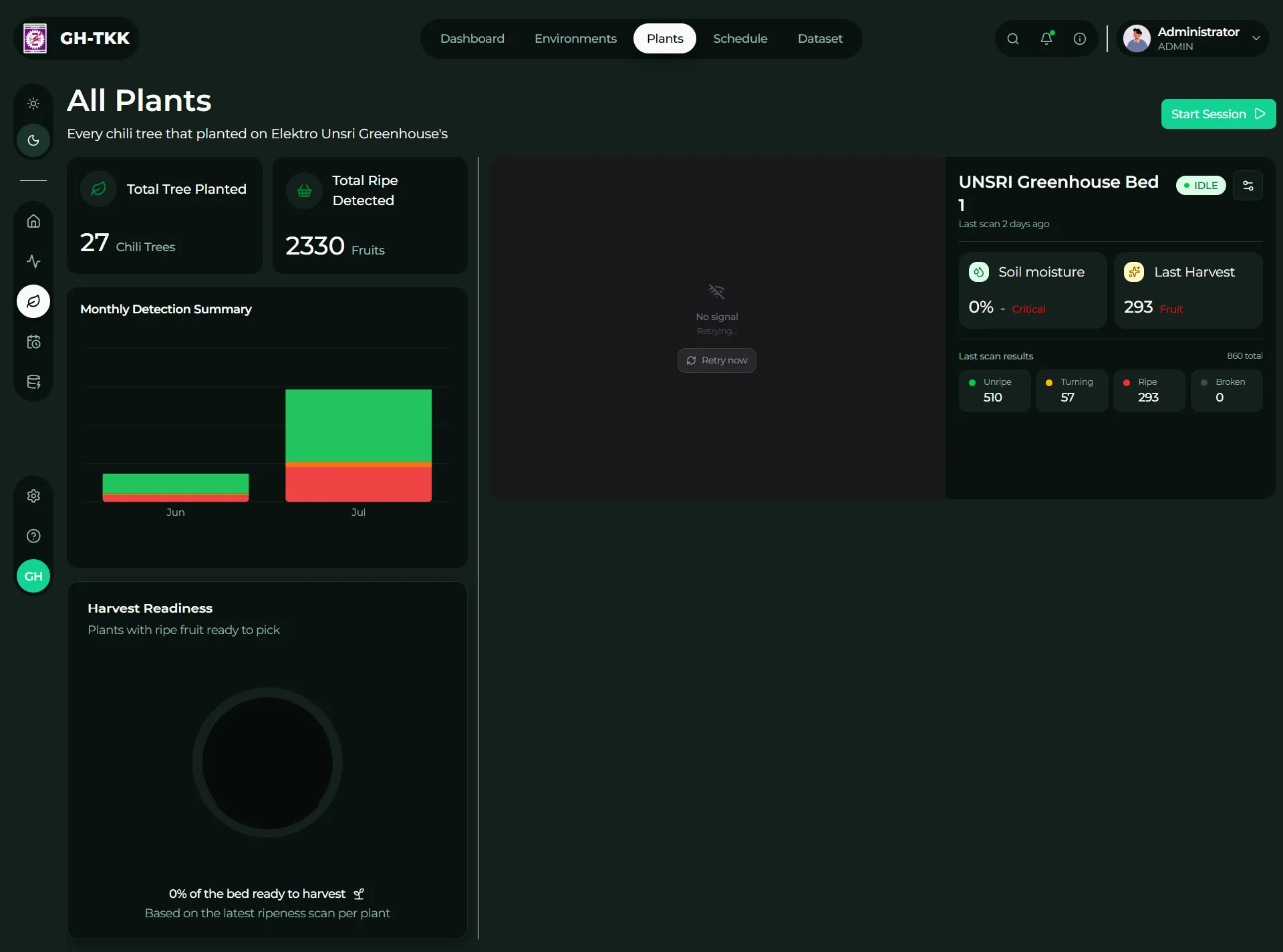
Ripeness totals per class and a harvest-readiness gauge for the whole crop, then a page per bed with the live camera, a 27-plant status grid and the history of every capture.
Gantry controls
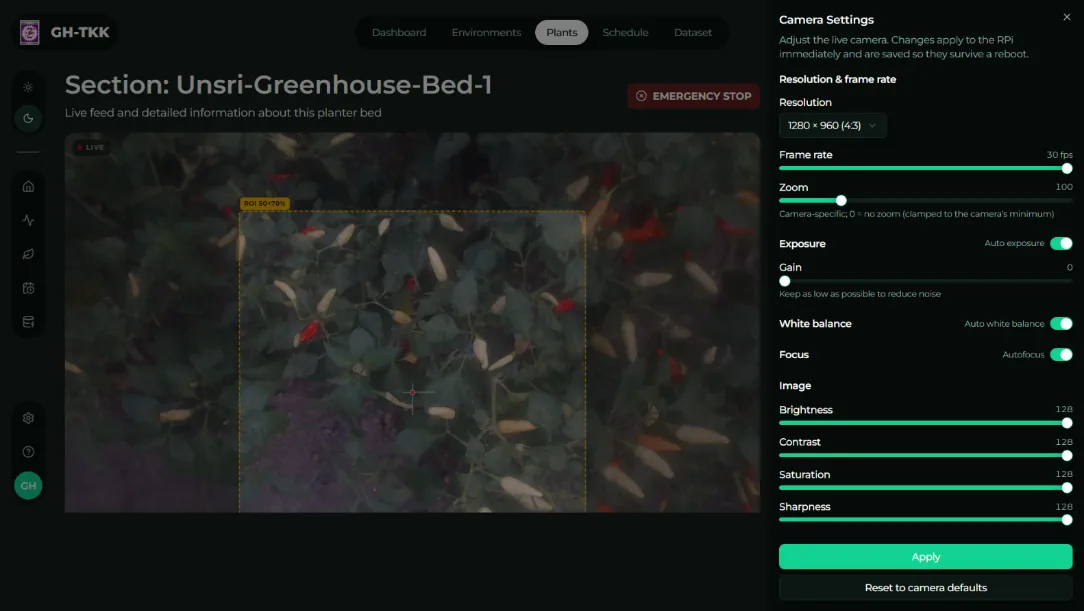
A live feed with a 70 × 70 cm region-of-interest overlay, grid layout settings (rows, columns, spacing), camera tuning (resolution, exposure, white balance, focus) and manual jogging of every axis and the pan-tilt head.
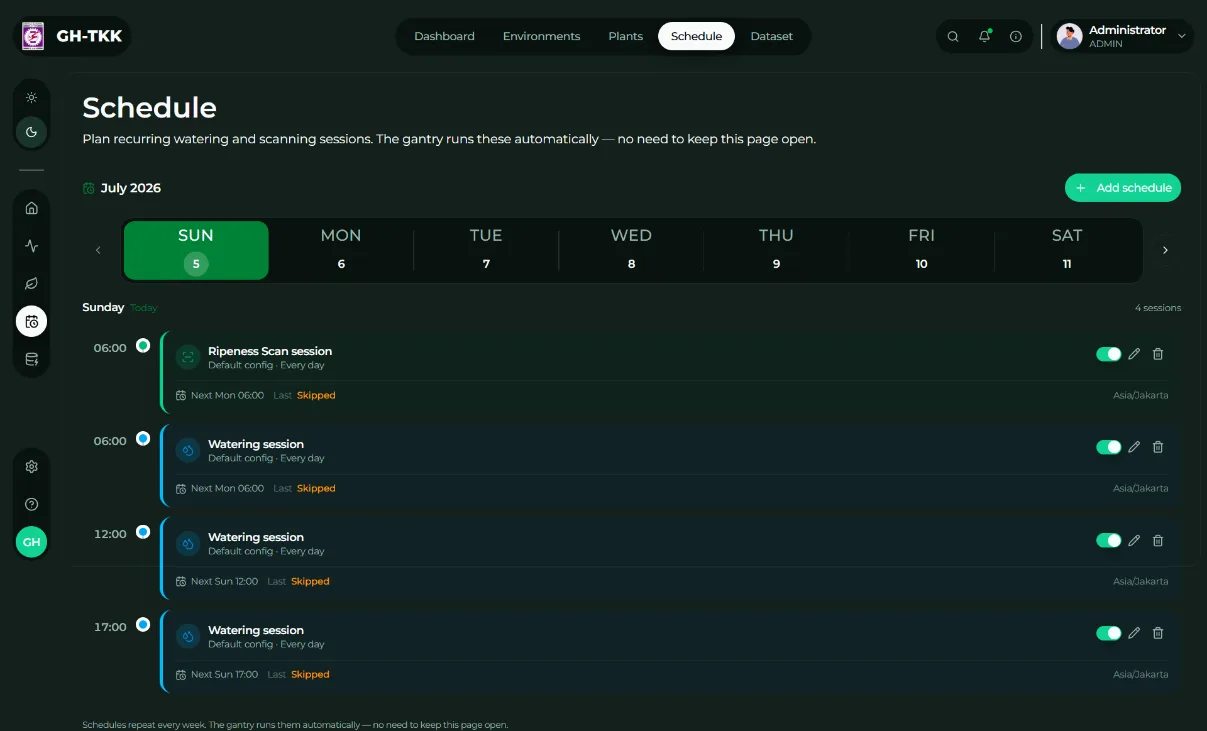
Scheduling
A weekly timeline of recurring scan and watering sessions. The Pi polls for due jobs, so nobody needs to keep the page open.
Three kinds of session
Ripeness scans, full-bed watering passes, and dataset-collection runs that capture fresh images for the next round of training.
Signed in only
Clerk guards everything, so only registered users can see the data or move the machine.
Plugging in a partner app
A research partner built their own greenhouse dashboard in Laravel, and it needed to start and follow scans too. Rather than share a database, it goes through a small API on this app: POST /api/partner/sessions to create and start a session, GET /api/partner/sessions and /api/partner/sessions/:id for history and detail, and POST /api/partner/sessions/:id/stop to halt one.
For live progress it subscribes to the same Pi event stream (GET /sessions/:id/events) the main dashboard uses. Both apps stay independent, but they drive the same hardware and read the same history.
Built for flaky hardware
Every hardware service on the Pi degrades to a stub when its device is missing: gantry commands succeed instantly, soil sensors return plausible random readings, the camera serves a synthetic frame stamped STUB MODE, and the model returns random detections. A full session can be run end to end on a laptop, with faster fake moves, long before the gantry is wired up.
The week of field testing showed where it still falls short. On one of seven days the network between the Pi and the dashboard dropped mid-scan and the session ended. Next on the list are automatic reconnects and a local buffer on the Pi, so a blip pauses a session instead of ending it.
Built with
- Next.js
- TypeScript
- PostgreSQL
- Prisma
- Clerk
- Tailwind CSS
- shadcn/ui
- Zod
- React Hook Form
- FastAPI
- Server-Sent Events
- MJPEG
Related Work